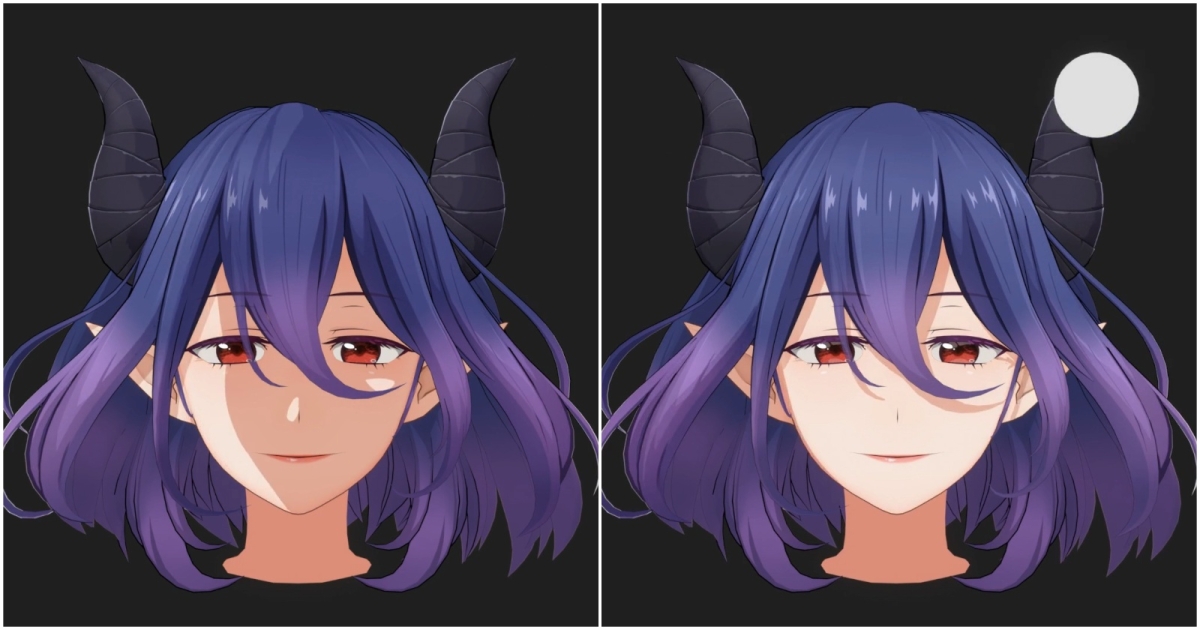
How to Build Wuthering Waves‑Style Hair in Blender
80 Level’s tutorial shows how to replicate the stylized hair of Wuthering Waves in Blender using a Hair Map texture and geometry nodes.
The latest 80 Level article explains how to recreate the distinctive strand‑level shadows and ring‑of‑light effect seen in Wuthering Waves characters. The technique relies on a Hair Map texture that controls lighting across individual strands.
To achieve the exact look, the tutorial recommends using Goo Engine and its custom shader. Without Goo Engine, Blender’s standard tools can still produce a similar stylized result, though with less precision, by employing geometry nodes and the Eevee renderer.
This approach is valuable for stylized character artists who want realistic hair shading without a dedicated game engine. It also highlights complementary tools such as TXTRCast for line art conversion and Kawaii Physics for pseudo‑physics in Unreal Engine.
Designers can experiment with the Hair Map in Blender, adjust node setups, and test the results in both Eevee and Cycles. The next step is to explore additional add‑ons like the Blender line‑art tool or the free hair rigging helper to streamline the workflow.
Keep an eye on future updates from 80 Level and the Goo Engine community for new shaders and node presets that may further simplify the process.