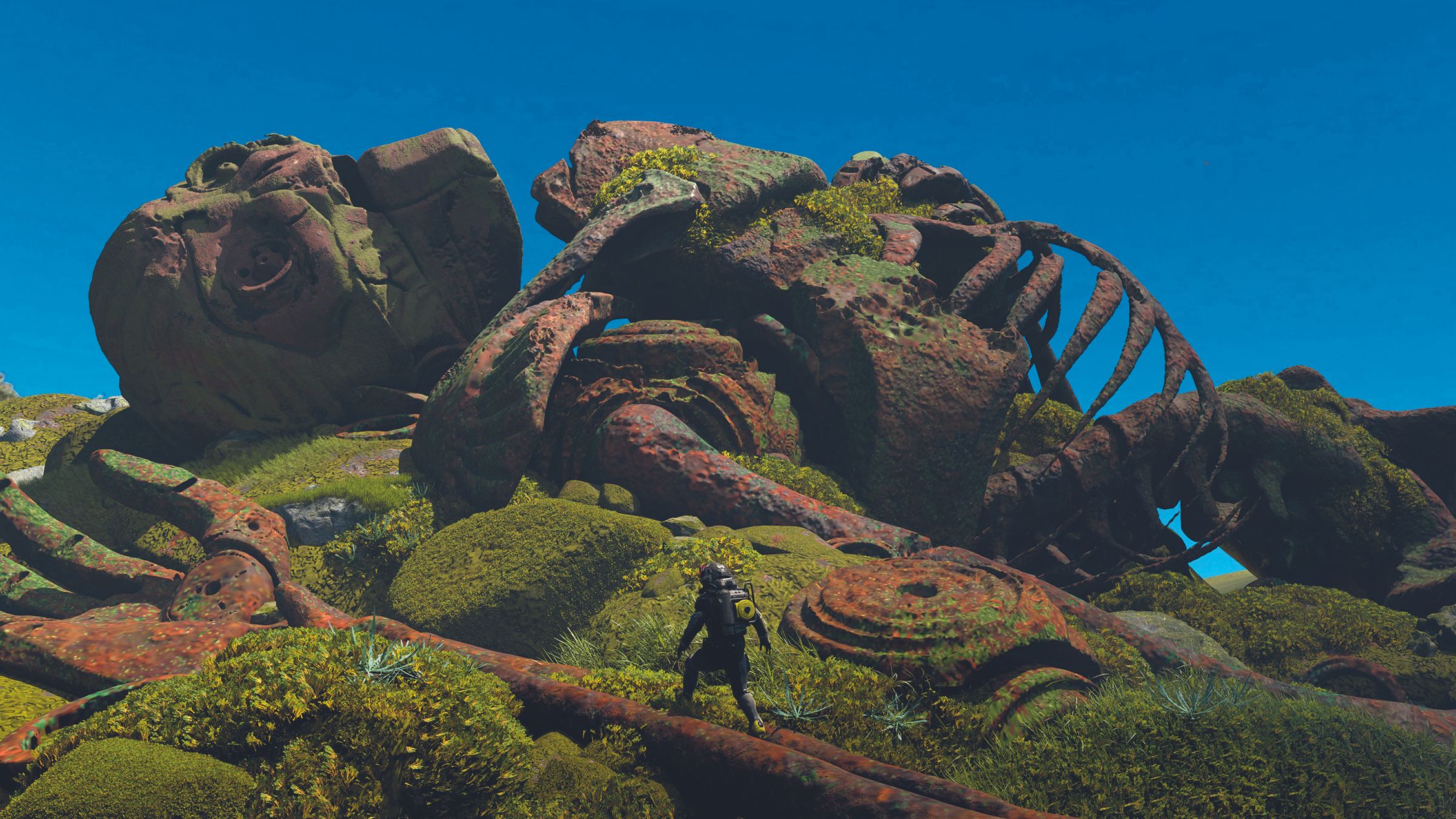
Enjoying 3D Art with 3DCoat, Quixel Mixer, Blender and Photoshop
Concept artist Marcin Basta, who had a background in 2‑D work, shows how he turned to 3‑D tools—3DCoat, Quixel Mixer, Blender and Photoshop—to create an overgrown robot scene. He walks readers through sketching, voxel modeling, texturing and rendering, highlighting how a simple workflow can be both fun and effective.
Basta, long involved in game concept art, had always preferred 2‑D because of his drawing skills from architecture school. Seeing how 3‑D could speed up lighting and material iterations, he searched for a more natural workflow. 3DCoat emerged as a playful voxel‑based tool that made the transition enjoyable.
He began with a quick paper sketch, setting a bold composition, a green‑and‑orange color scheme, and gathering reference images. This sketch served as the foundation for the whole piece.
In 3DCoat he imported a free skeleton from Sketchfab and used basic shapes—sphere, clay, cut—to establish proportions. Keeping parts on separate layers allowed later isolation. With pinch and extrude brushes he added tribal patterns and rusted details, and used noisy alphas for wear. Stencil masks let him carve complex cuts into the voxel mesh.
After the voxel model was ready, he retopologised it with the autopo tool and baked UVs. In Quixel Mixer he applied green foliage and rusty textures using alpha masks, and created a few rock shapes for the surroundings.
Finally, the asset was brought into Blender for lighting and framing, then polished in Photoshop. The workflow demonstrates how a designer can move from a 2‑D sketch to a finished 3‑D scene quickly, and invites others to try the same tools and explore more Blender tutorials.